
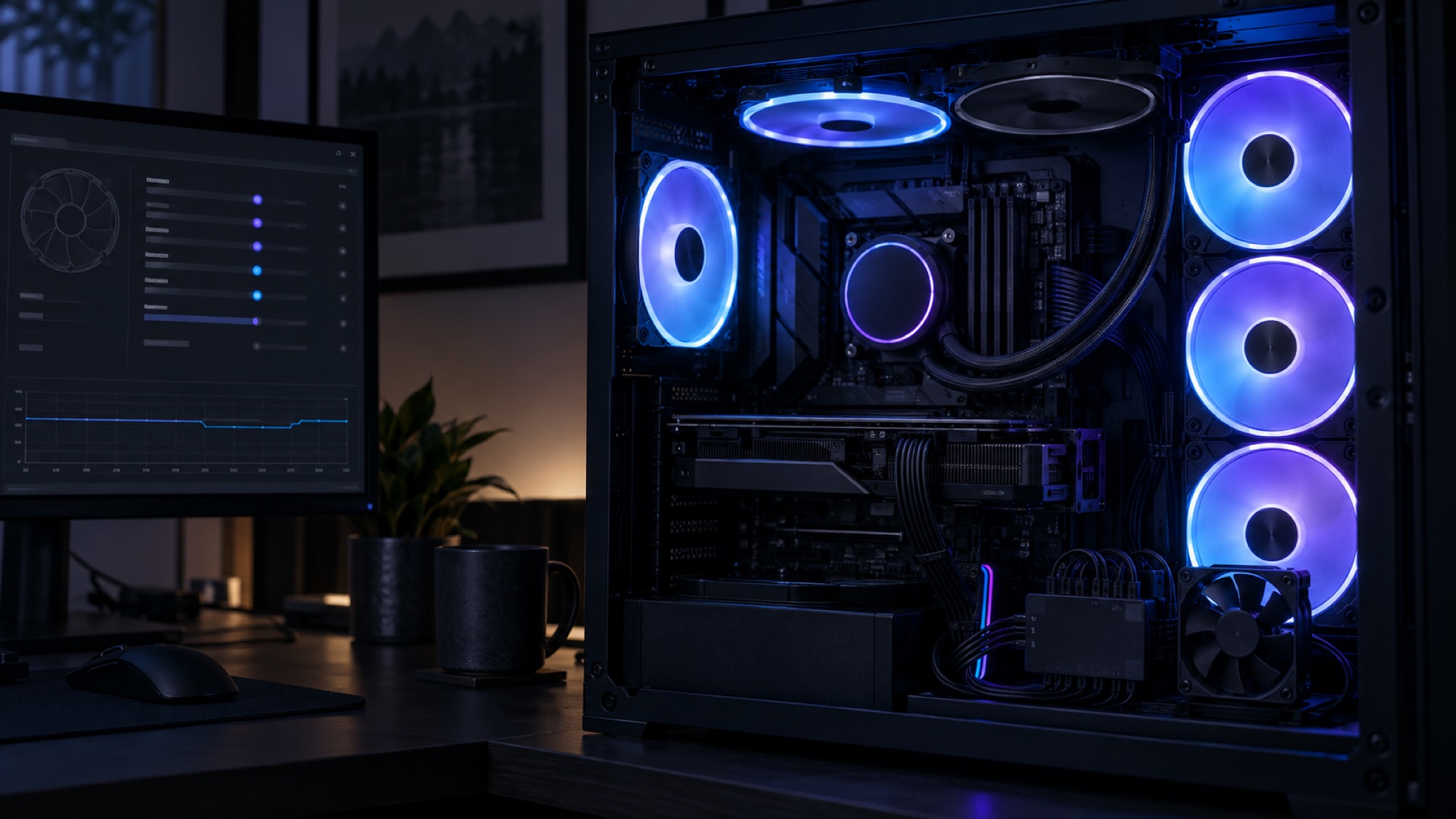
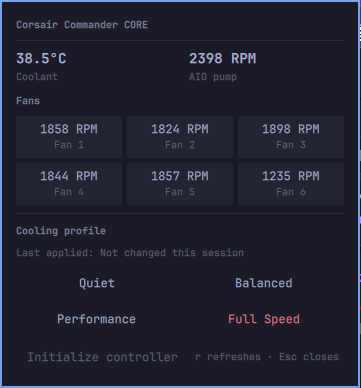
I wanted coolant temperature, pump speed, and six fan speeds in my Omarchy bar. The hardware was already in my PC: a Corsair iCUE Commander CORE connected over USB, controlling my AIO and fans.
The first version of my Corsair Cooling plugin worked. It found the controller through liquidctl, displayed every reading I needed, and offered guarded cooling presets. Then the RGB lights in my PC started flickering several times every five seconds.
Five seconds was also my refresh interval.
That coincidence led to a bug I could diagnose but not properly fix. Reading the cooling data changed the controller’s operating mode, and that transition briefly interrupted its lighting. The final release had to give up live telemetry.
The useful part worked first
The controller appeared as a Corsair iCUE Commander CORE with USB ID 1b1c:0c1c. The first half, 1b1c, identifies Corsair as the vendor. The second, 0c1c, identifies this product model. It is not a serial number or an identifier unique to my controller.
After installing liquidctl in an isolated pipx environment and adding its udev rules, I could read the device without root:
Pump speed       2161 rpm
Water temperature 38.9 °C
The exact RPM values changed from one reading to the next, as expected. The important result was that liquidctl could see the pump, every fan, and the coolant sensor.
I wrapped those commands in a small helper with a strict allowlist. The widget could request status, initialize the device, or apply one of four named presets. It could not pass arbitrary commands or duty values to a live cooling controller. Writes also required confirmation, and the plugin never applied a preset at startup.
A read was not visually read-only
The plugin treated liquidctl status as a harmless sensor read. For fan and pump settings, it was read-only. For the controller’s lighting state, it was not.
Liquidctl’s Commander CORE driver runs each status request inside a wake context. The sequence is roughly:
WAKE
read pump and fan speeds
read temperatures
SLEEP
WAKE moves the controller into software mode. SLEEP returns it to hardware mode. Somewhere during that transition, the LEDs briefly switch off before the controller restores its hardware lighting.
The five-second timer in my widget repeated that transition all day.
The behavior was already documented. Liquidctl’s Commander CORE guide warns that the lights flash with every update. Its driver even identifies the device as Corsair Commander Core (broken).
Liquidctl issue #448 described the same problem. The issue was closed with the label unresolved/archived, not because somebody fixed it. A maintainer explained that liquidctl had no path to a solution while it continued returning the controller to hardware mode after each operation.
Disabling the widget proved the cause
I stopped automatic access and watched the machine. With the widget disabled, the flickering stopped.
That gave me a complete causal chain:
five-second timer
  -> liquidctl status
  -> WAKE / read / SLEEP
  -> software-to-hardware mode transition
  -> visible RGB interruption
Kernel sensors and OpenRGB did not solve it
If Linux exposed the Commander CORE through hwmon, the widget might read temperatures and speeds without waking and sleeping the controller through liquidctl. This machine had no such interface for 1b1c:0c1c.
Linux does have a corsair-cpro hwmon driver, but it targets Commander Pro hardware with different USB IDs and a different protocol. It was not support for my Commander CORE hiding under another name.
I also tried keeping the controller under OpenRGB control. The idea sounded plausible: if OpenRGB held the device in software mode, perhaps liquidctl could read telemetry without forcing another visible mode transition.
OpenRGB recognized the Commander CORE in Direct mode. Two liquidctl reads completed while OpenRGB stayed running, with no USB assertion or protocol error. The lights still flashed when I refreshed the telemetry.
That short experiment did not prove every OpenRGB configuration will fail. The LED zone setup may not have been complete, and two successful reads say nothing about long-term safety when two processes share a stateful controller. It was enough to reject OpenRGB as a dependable fix for this plugin.
Version 1.0.1
I could have changed the timer from five seconds to thirty. That would have made the PC flash less often, but it would not have fixed anything.
Instead, version 1.0.1 removed:
- The automatic refresh timer
- The startup status read
- The extra status read after applying a preset
Telemetry became manual. You can press r, middle-click the widget, or call its refresh action. Each deliberate read or profile change may still cause one flash, and the UI says so.
That is a mitigation, not a protocol fix. It keeps the useful controls and on-demand readings while removing the part that made the desktop visibly blink every few seconds.
What a real fix would require
A zero-flicker solution must avoid repeated transitions between hardware and software mode. Changing the polling interval cannot do that.
One possible direction is a long-lived owner that wakes the controller once, keeps it in software mode, and serves cached readings to the widget. That raises harder questions: who owns the lighting, how another RGB application interacts with it, what happens when the process crashes, and how the controller safely returns to hardware mode.
Another route is a proper Commander CORE kernel driver that keeps the device in the required mode and exposes its sensors through hwmon. Upstream suggested that architecture, but it did not exist for this controller during my investigation.
Reverse-engineering a different command sequence may reveal a way to read telemetry without blanking the LEDs. I did not guess with raw HID packets on a controller responsible for pump and fan behavior. A convincing experiment would need USB captures, a recovery plan, and continuous thermal monitoring.
The dead end was the honest result
The frustrating part was not an inability to communicate with the hardware. The readings were accurate. The dead end was that every successful conversation made the controller visibly announce itself through the lights.
I shipped the smaller truth: cooling controls and on-demand telemetry, with an explicit warning about the remaining flash. Live monitoring can return when there is a sensor path that does not disturb lighting. Until then, removing the timer is better than disguising the same hardware transition behind a slower one.